
Welcome to Day 05 of #The12DaysOfSwiftmas
Today’s prompt…
Now I don’t want to be elfish here (ha ha couldn’t resist!) I couldn’t not include an elf prompt! But what to do with our elf?
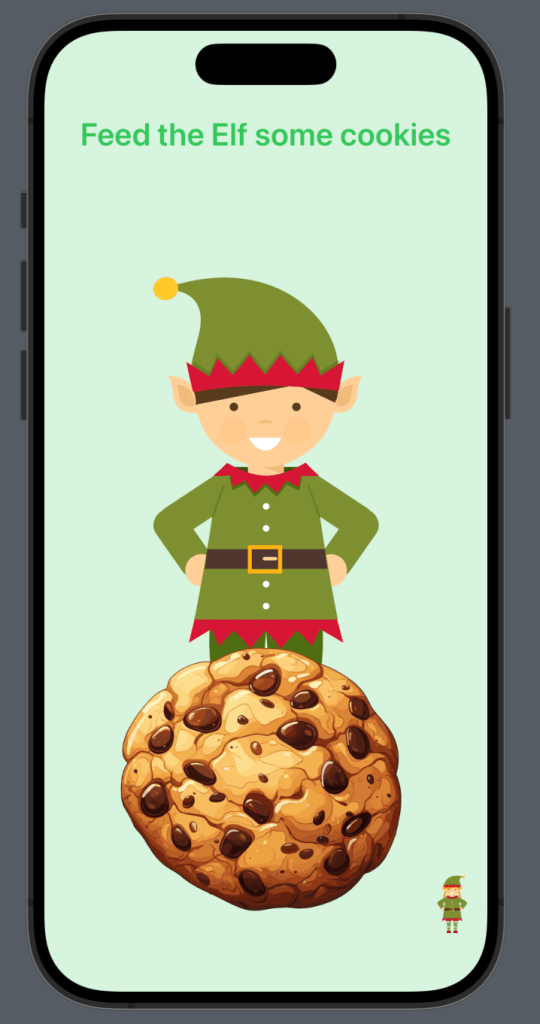
One of my weakness’s in SwiftUI is animation unbelievably! Programatic animation is very different from traditional & 2D!! So I wanted to challenge myself with an app that adds some animation. The inspiration for this actually comes from one of my favourite instagram filters. I love the filter where you open your mouth & the donuts fly in & your head gets bigger & bigger…so why not attempt to re-create something similar?
So to begin with, the elf is 2 (vector) images. I separated the head from the body knowing my animation would be on the head. You can find the GitHub repo here: https://github.com/thecodingsprite/Swiftmas-2023/tree/main
So I began laying out the view. Again like all applications, we will refine & improve upon this as we build.
var body: some View {
        ZStack {
            // BG
            Color.green
                .ignoresSafeArea()
                .opacity(0.2)

            // Title
            VStack (alignment: .center) {
                Text("Feed the Elf a cookie")
                    .font(.largeTitle)
                    .fontWeight(.semibold)
                    .foregroundColor(Color.green)
                    .padding(.top)

                Spacer()
            }

            // Elf
            VStack (spacing: 0) {
                Image("face")
                    .resizable()
                    .aspectRatio(contentMode: .fit)
                    .padding(.trailing, 15)
                    .padding(.bottom, -10)

                Image("body")
                    .resizable()
                    .aspectRatio(contentMode: .fit)
            }
            .frame(width: 200)

            // Cookie
            VStack {
                Spacer()

                Image("cookie")
                    .resizable()
                    .aspectRatio(contentMode: .fit)
                    .frame(width: 300)
                    .onTapGesture {
                        // Animate cookie

                        // Change Scale of elf head
                    }
            }
        }

    }
So next I wanted to focus on getting the animation going. I knew I wanted the head to enlarge in scale when the cookie was pressed. I had done my research & was confident…that confidence soon faded & I was frustrated why my transition wasn’t working. Still to this day not sure what made it suddenly work, but at least I cut out the middle man of frustration for you guys as I can show you the code that works!
So we begin with adding our @State properties.
struct ContentView: View {

    // Keep track of scale amount for elf head
    @State private var elfScale = 1.0

    // Store the cookie scale
    @State private var cookieScale = 1.0

    // Delay amount for cookie reset
    let delay = 0.4
Turns out the delay variable, really isn’t needed as we can just hardcode the number as we call the animation & I do switch to that later on, so feel free to switch that out if you wish or leave it as a variable.
Next I chose to switch the Image of the cookie with the .onTapGesture() to a Button. This is just better suiting in the end.
Button {
                    // Effect the cookie scale
                    cookieScale = 1.2
                    // Append scale of elf head
                    elfScale += 0.1

                    // Reset Cookie Scale after a delay
                    DispatchQueue.main.asyncAfter(deadline: .now() + self.delay) {
                        self.cookieScale = 1.0
                                        }
                } label: {
                    Image("cookie")
                        .resizable()
                        .aspectRatio(contentMode: .fit)
                        .frame(width: 300)
                        .scaleEffect(cookieScale)
                        .animation(.easeInOut(duration: 0.5), value: cookieScale)
                }
The self.delay can be swapped out for simply the amount which in our case was 0.4 if you aren’t using the delay variable. Now to add some additional modifiers to the Elf Head Image.
.scaleEffect(elfScale)
.animation(.easeInOut(duration: 1), value: elfScale)
.zIndex(1.0)
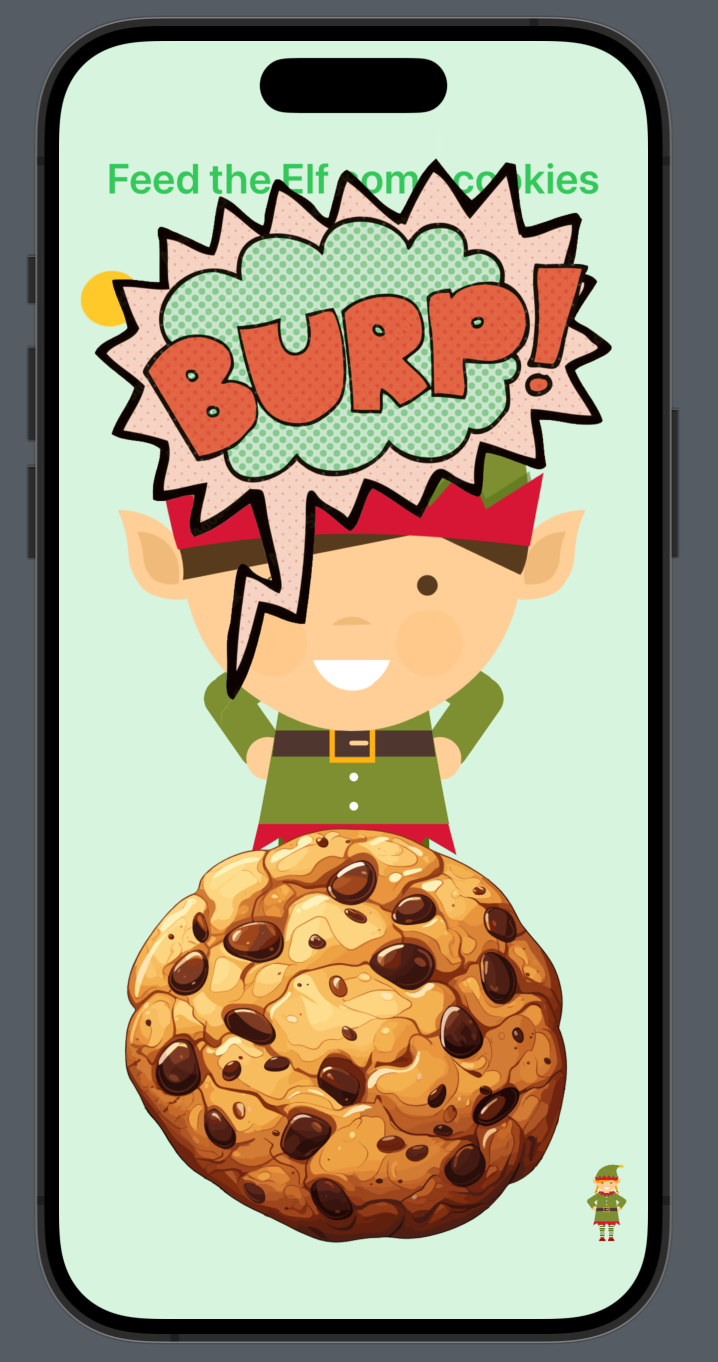
Now I wanted to add a way to reset the game. I mean an elf can only eat so many cookies & have a head so large! I wanted a fun way to do this & thought a burp would be a great way. I was going to add the sound effect too, but some may not find it funny so left it with just the visuals. (again all images are available via the GitHub project.
So we need a @State property to keep track of whether the elf needs to burp or not. – Tip, for testing purposes & layout of UI, don’t forget you can just change the initial value to true. You don’t have to press the cookie multiple times each and every time.
  // Toggle for burping
    @State var burp = false
I figured I would use the elf scale variable to be the one I use to keep track of when to toggle the burp. When the scale reaches a certain scale (also 13 clicks – lucky for some) then we will toggle the burp to become true & show a burp image. This seemed to be best suited within the cookie button. Please update the code like so:
 Button {
                    // Effect the cookie scale
                    cookieScale = 1.2

                    // Append scale of elf head
                    elfScale += 0.1

                    // Reset Cookie Scale after a delay
                    DispatchQueue.main.asyncAfter(deadline: .now() + 0.4) {
                        self.cookieScale = 1.0
                    }
                    if elfScale > 2.3 {
                        // This function is just below
                        showBurp()

                        withAnimation {
                            self.elfScale = 1.0
                        }
                    }

                } label: {
                    Image("cookie")
                        .resizable()
                        .aspectRatio(contentMode: .fit)
                        .frame(width: 300)
                        .scaleEffect(cookieScale)
                        .animation(.easeInOut(duration: 0.5), value: cookieScale)
                }
            }
I decided to create a showBurp() function so that I could manually toggle the true & false options. using the .toggle() wouldn’t work in this situation. I want the burp image to disappear after a set time. So this is the instruction I made:
func showBurp() {
        // Show image
        burp = true

        // Hide image again after delay
        DispatchQueue.main.asyncAfter(deadline: .now() + 1) {

            self.burp = false
        }
At this point we have a fully working app, so I am going to show my full code at this point. But if you fancy a challenge then keep reading for an extra feature to add.
import SwiftUI

struct ContentView: View {

    // Keep track of scale amount for elf head
    @State private var elfScale = 1.0

    // Store the cookie scale
    @State private var cookieScale = 1.0

    // Delay amount for cookie reset
    let delay = 0.4

    var body: some View {
        ZStack {
            // BG
            Color.green
                .ignoresSafeArea()
                .opacity(0.2)

            // Title
            VStack (alignment: .center) {
                Text("Feed the Elf a cookie")
                    .font(.largeTitle)
                    .fontWeight(.semibold)
                    .foregroundColor(Color.green)
                    .padding(.top)

                Spacer()
            }

            // Elf
            VStack (spacing: 0) {

                Image("face")
                    .resizable()
                    .aspectRatio(contentMode: .fit)
                    .padding(.trailing, 15)
                    .padding(.bottom, -10)
                    .scaleEffect(elfScale)
                    .animation(.easeInOut(duration: 1), value: elfScale)
                    .zIndex(1.0)

                Image("body")
                    .resizable()
                    .aspectRatio(contentMode: .fit)
            }
            .frame(width: 200)

            // Cookie
            VStack {
                Spacer()

                Button {
                    // Effect the cookie scale
                    cookieScale = 1.2
                    // Append scale of elf head
                    elfScale += 0.1

                    // Reset Cookie Scale after a delay
                    DispatchQueue.main.asyncAfter(deadline: .now() + self.delay) {
                        self.cookieScale = 1.0
                                        }
                } label: {
                    Image("cookie")
                        .resizable()
                        .aspectRatio(contentMode: .fit)
                        .frame(width: 300)
                        .scaleEffect(cookieScale)
                        .animation(.easeInOut(duration: 0.5), value: cookieScale)
                }


            }
        }

    }
}
Additional Functionality – Girl Elf Option
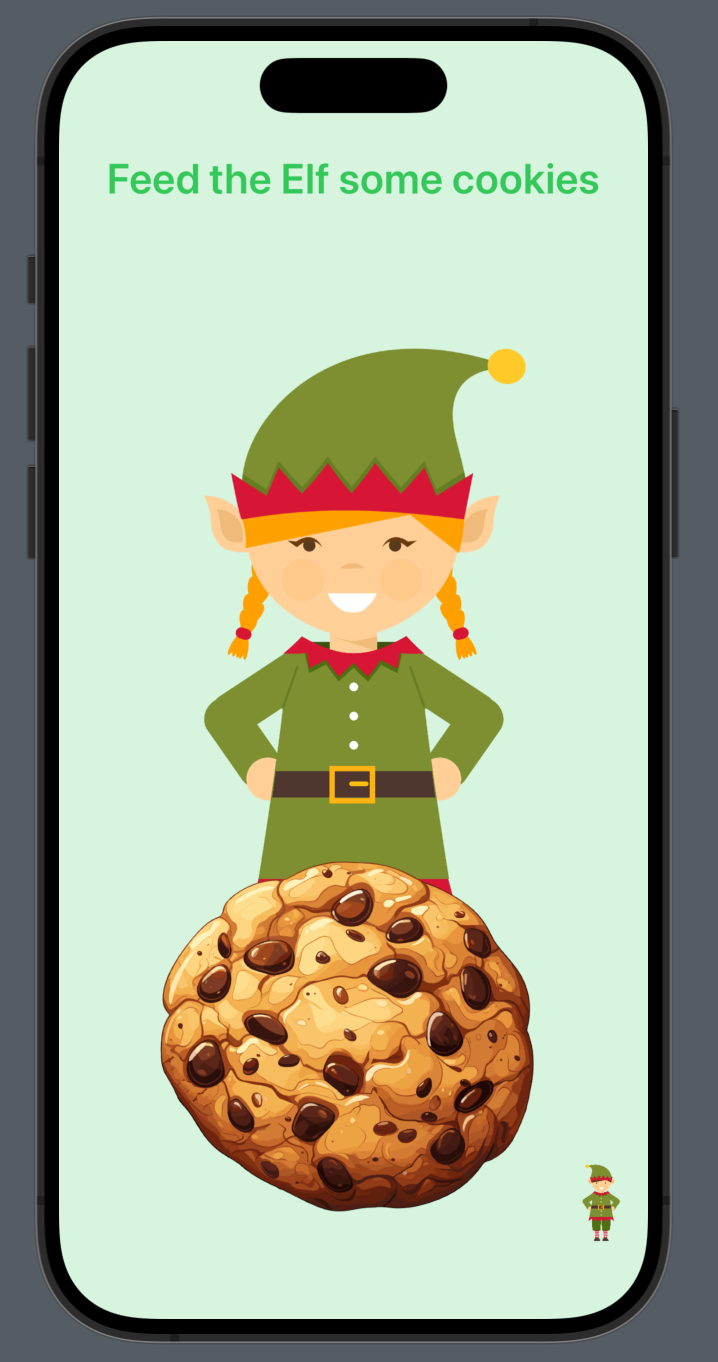
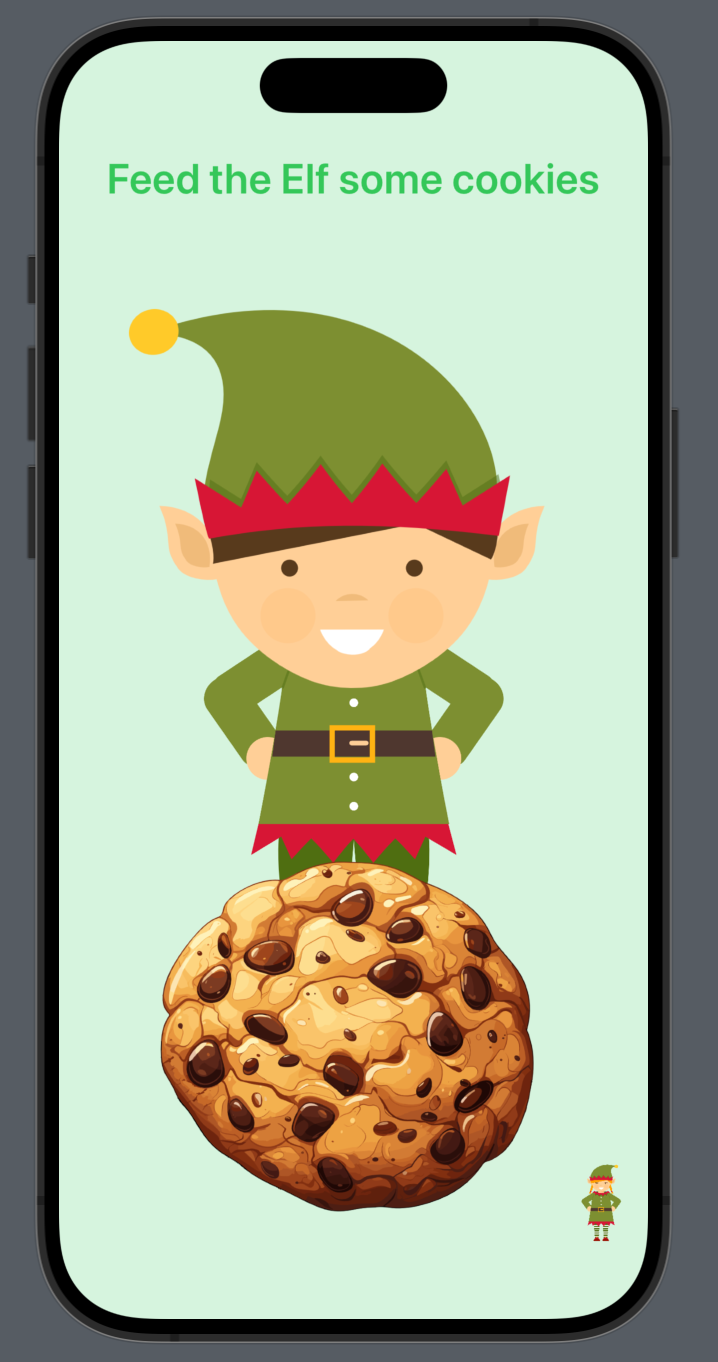
So I really wanted to have a button that could toggle between a girl elf or a boy elf. After readying the images I added them to the project & updated the code to add this option. We start with keeping track of which elf is active:
@State var isBoyElf = trueI also updated the text instruction as I thought this looked better.
Text("Feed the Elf some cookies")Now instead of a simple “face” image we need to add options based on whether isBoyElf true or false. I did this using a conditional modifier as its much more clean than if statements.
 // Elf
            VStack (spacing: 0) {

                Image(isBoyElf ? "boy-face" : "girl-face")
                    .resizable()
                    .aspectRatio(contentMode: .fit)
                    .padding( .trailing, isBoyElf ? 15 : -15)
                    .padding(.bottom, isBoyElf ? -10 : -20)
                    .scaleEffect(elfScale)
                    .animation(.easeInOut(duration: 1), value: elfScale)
                    .zIndex(1.0)

                Image(isBoyElf ? "boy-body" : "girl-body")
                    .resizable()
                    .aspectRatio(contentMode: .fit)
            }
            .frame(width: 200)
            .scaleEffect(cookieScale)
            .animation(.easeInOut(duration: 0.5), value: cookieScale)
Now we also need a button for the user to be able to switch between the elf kinds. You can add this just below the above elf VStack.
 // Change elf to elfette
            VStack {
                Spacer()
                HStack {
                    Spacer()

                    Button {
                        isBoyElf.toggle()
                    } label: {
                        Image(isBoyElf ? "girl-icon" : "boy-icon")
                            .resizable()
                            .aspectRatio(contentMode: .fit)
                            .frame(width: 30)
                }
                }
                .padding()
            }
So whilst our code is a little long, it’s a fun little quick and easy app.
The complete functional code is at the bottom of this post.
Our Completed Application
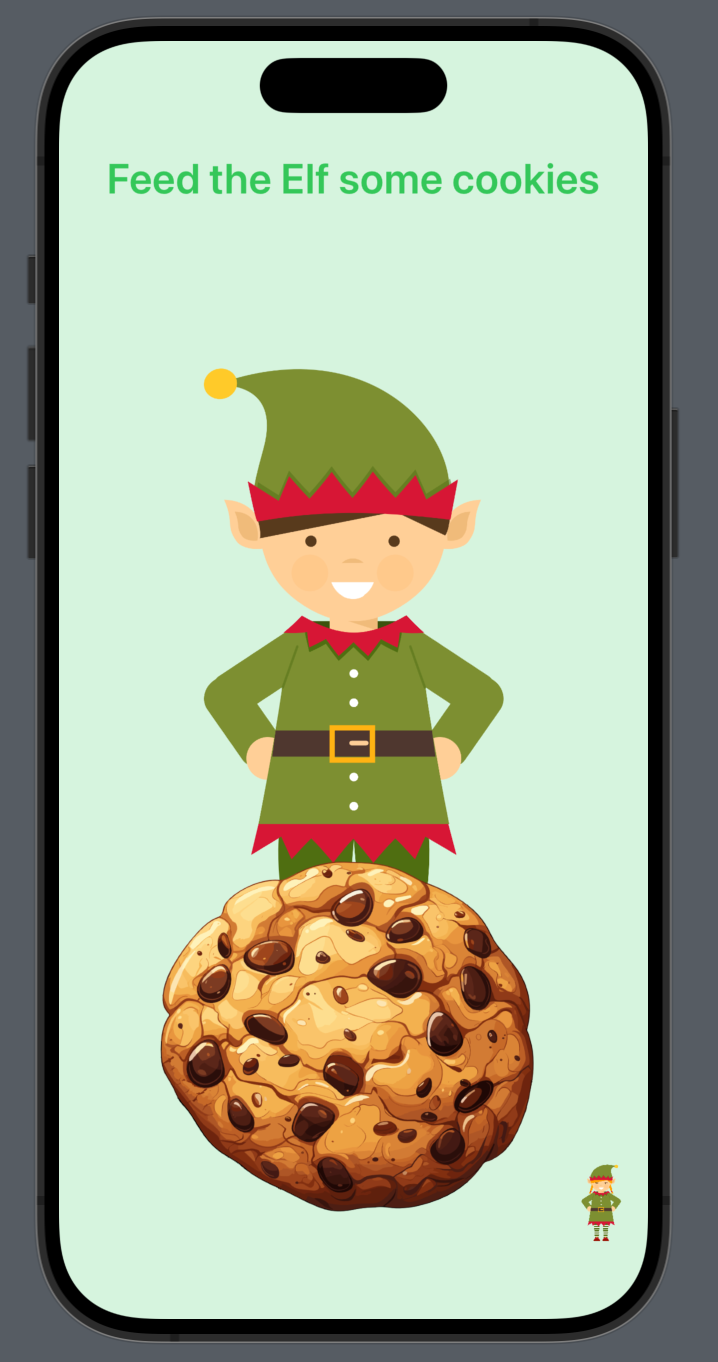
See you tomorrow for Day 06
Complete Code
import SwiftUI

struct ContentView: View {

    @State var isBoyElf = true

    // Keep track of scale amount for elf head
    @State var elfScale = 1.0

    // Store the cookie scale
    @State private var cookieScale = 1.0

    // Toggle for burping
    @State var burp = false

    var body: some View {
        ZStack {
            // BG
            Color.green
                .ignoresSafeArea()
                .opacity(0.2)

            // Title
            VStack (alignment: .center) {
                Text("Feed the Elf some cookies")
                    .font(.title)
                    .fontWeight(.semibold)
                    .foregroundColor(Color.green)
                    .padding(.top)

                Spacer()
            }

            // Elf
            VStack (spacing: 0) {

                Image(isBoyElf ? "boy-face" : "girl-face")
                    .resizable()
                    .aspectRatio(contentMode: .fit)
                    .padding( .trailing, isBoyElf ? 15 : -15)
                    .padding(.bottom, isBoyElf ? -10 : -20)
                    .scaleEffect(elfScale)
                    .animation(.easeInOut(duration: 1), value: elfScale)
                    .zIndex(1.0)

                Image(isBoyElf ? "boy-body" : "girl-body")
                    .resizable()
                    .aspectRatio(contentMode: .fit)
            }
            .frame(width: 200)

            // Cookie
            VStack {
                Spacer()

                Button {
                    // Effect the cookie scale
                    cookieScale = 1.2

                    // Append scale of elf head
                    elfScale += 0.1

                    // Reset Cookie Scale after a delay
                    DispatchQueue.main.asyncAfter(deadline: .now() + 0.4) {
                        self.cookieScale = 1.0
                    }
                    if elfScale > 2.3 {
                        showBurp()

                        withAnimation {
                            self.elfScale = 1.0
                        }
                    }

                } label: {
                    Image("cookie")
                        .resizable()
                        .aspectRatio(contentMode: .fit)
                        .frame(width: 300)
                        .scaleEffect(cookieScale)
                        .animation(.easeInOut(duration: 0.5), value: cookieScale)
                }
            }

            // Change elf to elfette
            VStack {
                Spacer()
                HStack {
                    Spacer()

                    Button {
                        isBoyElf.toggle()
                    } label: {
                        Image(isBoyElf ? "girl-icon" : "boy-icon")
                            .resizable()
                            .aspectRatio(contentMode: .fit)
                            .frame(width: 30)
                }
                }
                .padding()
            }

            // Reset Game after elf is full up
            if burp {
                VStack {
                    Image("burp")
                        .resizable()
                        .aspectRatio(contentMode: .fit)
                        .frame(width: 400)


                    Spacer()
                }
            }
        }
    }

    func showBurp() {
        // Show image
        burp = true

        // Hide image again after delay
        DispatchQueue.main.asyncAfter(deadline: .now() + 1) {

            self.burp = false
        }
    }
}
