
Welcome to Day 11 of #The12DaysOfSwiftmas
Today’s prompt…
Swiftmas 2023 GitHub repo: https://github.com/thecodingsprite/Swiftmas-2023/tree/main
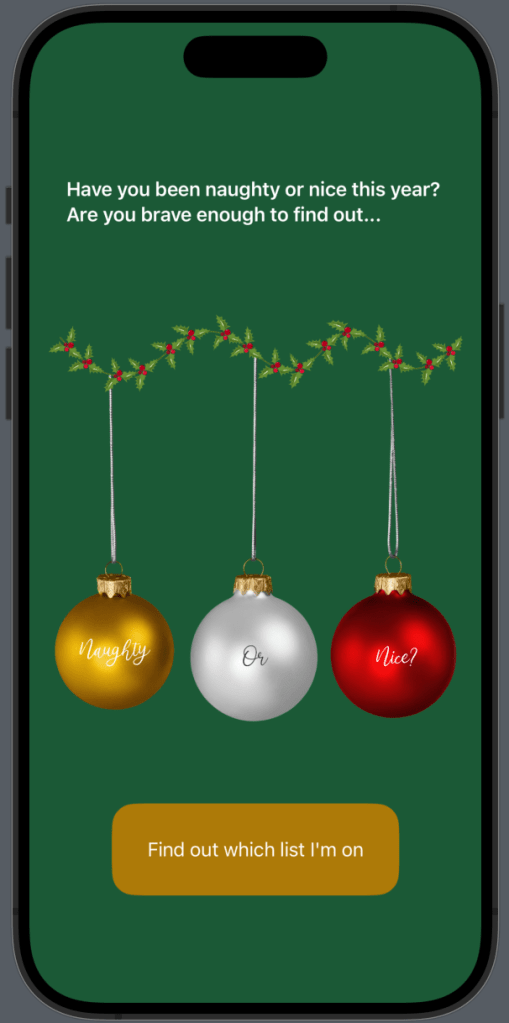
Naughty or nice…the threat of every parent at this time of year! But the question is, have you been a baddie or a goodie…lets let the code decide shall we!
My idea needed some key animation practice again. Sadly there is a slight bug in this finished project. My non programmer friends say they like the effect so I have left it there & I’m intrigued to see if you guys spot it so I am not going to point out. I am still trying to fix it ha ha.
After a couple of hours practice I have ended up choosing to use images with fixed text overlayed in the image instead of programmatically displaying the text as I had planned to in my original thoughts. It really did make the process easier & far less complicated which is what these tutorials are trying to do. So let’s get started. Create your project & we can start roughing out that UI. We will need some @State properties to keep track of things.
// Track app start
    @State var isPressed = false

    @State var selected = 0
Now the body, bearing in mind some of the colors I manually made as color-sets to be more custom to what Iw anted the design to be.
var body: some View {
        ZStack {

            Color("bg")
                .ignoresSafeArea()

            // Onboarding
            if isPressed != true {
                VStack(spacing: 50) {

                    Text("Have you been naughty or nice this year? Are you brave enough to find out...")
                        .font(.headline)
                        .foregroundStyle(.white)
                        .padding()

                    Image("naughty_or_nice")
                        .resizable()
                        .aspectRatio(contentMode: .fit)

                    Button {
                        // Next step in app
                        withAnimation(.default.speed(0.1).delay(1)) {
                            isPressed = true
                        }
                        // Randomly set selected number
                        selected = Int.random(in: 0...2)
                    } label: {
                        ZStack {
                            RoundedRectangle(cornerRadius: 20)
                                .foregroundStyle(Color("buttons"))

                            Text("Find out which list I'm on")
                                .foregroundStyle(.white)
                        }
                        .frame(width: 250, height: 80)
                    }
                }
                .padding()
            }
// Naughty or Nice view here
Now we can flesh out the naughty or nice view.
// Naughty or nice view
            if isPressed {
                VStack {
                    if selected == 1 {
                                    Image("naughty")
                                        .resizable()
                                        .aspectRatio(contentMode: .fit)
                                        .transition(.move(edge: .top))


                    }
                    else {
                            Image("nice")
                                .resizable()
                                .aspectRatio(contentMode: .fit)
                                .transition(.move(edge: .top))


                    }

                    Button {
                        // Reset
                        withAnimation {
                            isPressed = false
                        }
                    } label: {
                        // TODO: Fix label
                        Text("try again")
                    }
                }
            }

        }
    }
}
Next thing to do is to add that animation effect. I really wanted the naughty or nice baubles to slide in from the top. This turned out to be a headache, but eventually I got it down…here is the correct code so you don’t get that headache. First up the button that triggers the random choosing of naughty or nice. I changed the speed of the animation a million times but 0.1 was best in my opinion.
Button {
                        // Next step in app
                        withAnimation(.default.speed(0.1)) {
                            isPressed = true

                            // Randomly set selected number
                            selected = Int.random(in: 1...2)
                        }
                    } label: {
                        ZStack {
                            RoundedRectangle(cornerRadius: 20)
                                .foregroundStyle(Color("buttons"))

                            Text("Find out which list I'm on")
Now to update the animation on the naughty or nice view using transitions & make that restart button work.
VStack {
            if isPressed {
                    if selected == 1 {
                        Image("naughty")
                        .resizable()
                        .aspectRatio(contentMode: .fit)
                        .transition(.move(edge: .top))
                    }
                    else {
                            Image("nice")
                                .resizable()
                                .transition(.move(edge: .top))
                                .aspectRatio(contentMode: .fit)
                    }

                    Button {
                        // Reset
                        withAnimation(.default.speed(1)) {
                            isPressed = false
                            selected = 0
                        }
                    } label: {
                        ZStack {
                            RoundedRectangle(cornerRadius: 20)
                                .foregroundStyle(Color("buttons"))

                            Text("Try again")
                                .foregroundStyle(.white)
                        }
                        .frame(width: 150, height: 60)
                    }
Now the app should be working just fine & you can see whether the code thinks you should be getting gifts this year!
Want to try a harder version?
Although our app works fine, why not tidy things up & move that second view into a second view file? Right-click in the file navigator> New File > Swift UI View. I named this view: NaughtyOrNiceView.
Now we can cut that view code out of ContentView & tweak it just a tad (I added an Image extension too for the modifiers, not really necessary but I was in OCD mode so the code got extra cleaned):
import SwiftUI

struct NaughtyOrNiceView: View {

    @Binding var selected: Int
    @Binding var isPressed: Bool

    var body: some View {
        if selected == 1 {
            Image("naughty")
                .resizeAnimateimage()
        }
        else {
                Image("nice")
                .resizeAnimateimage()
        }

        Button {
            // Reset
            withAnimation(.default.speed(1)) {
                isPressed = false
                selected = 0
            }
        } label: {
            ZStack {
                RoundedRectangle(cornerRadius: 20)
                    .foregroundStyle(Color("buttons"))

                Text("Try again")
                    .foregroundStyle(.white)
            }
            .frame(width: 150, height: 60)
        }
    }
}

extension Image {
    func resizeAnimateimage() -> some View {
        self
            .resizable()
            .transition(.move(edge: .top))
            .aspectRatio(contentMode: .fit)
    }
}
Then we can call your NaughtyOrNiceView in ContentView with just one line of code!
NaughtyOrNiceView(selected: $selected, isPressed: $isPressed)The complete functional code is at the bottom of this post.
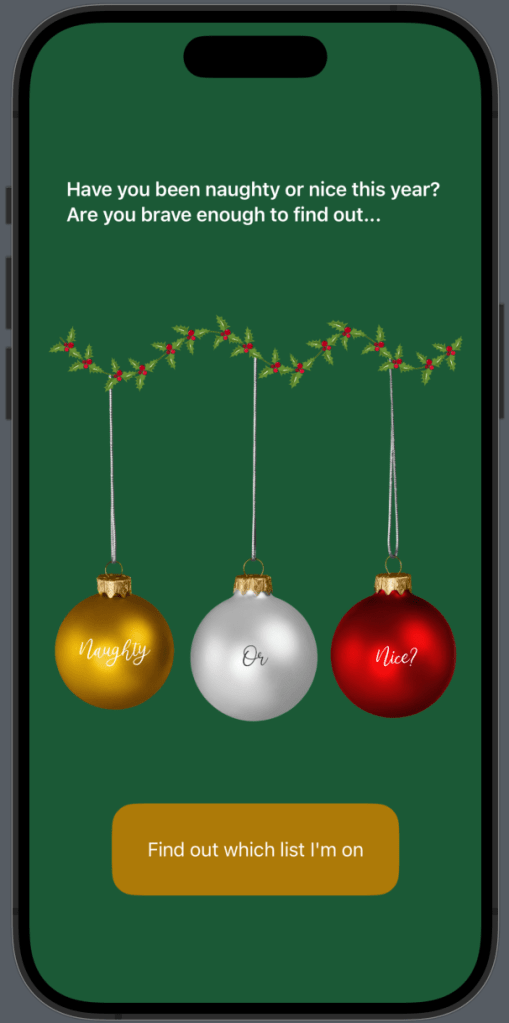
Our Completed Application
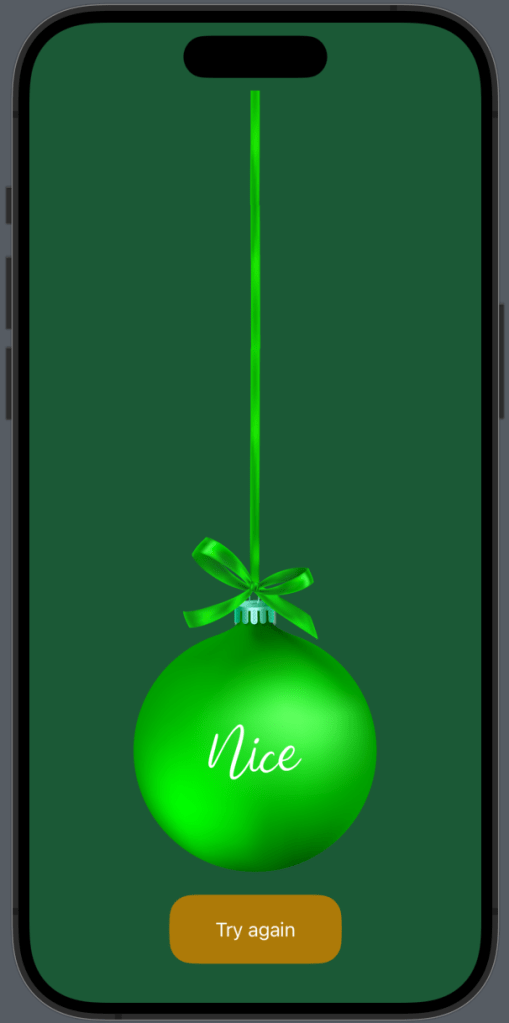
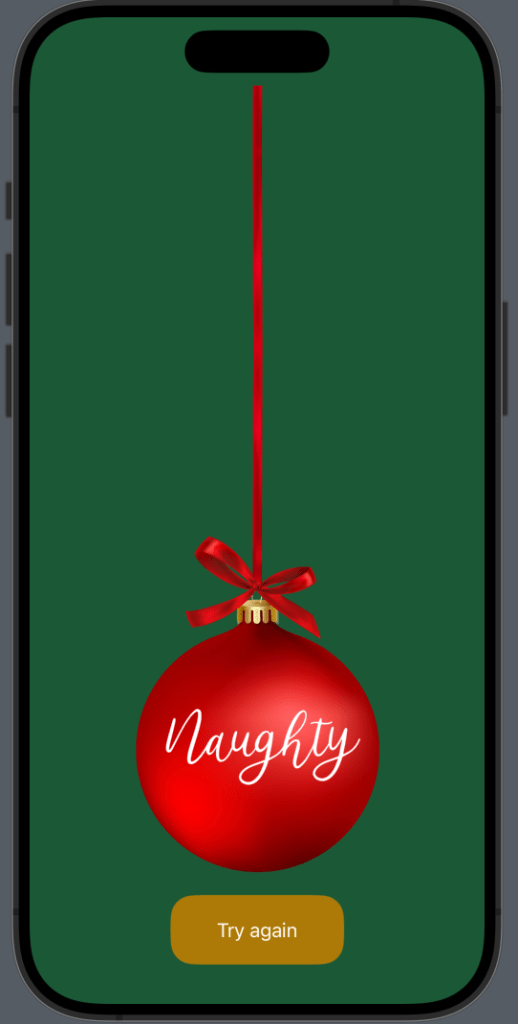
See you tomorrow for Day 12 – Our last day!
Complete Code
ContentView
import SwiftUI

struct ContentView: View {

    // Track app start
    @State var isPressed = false

    @State var selected = 0

    var body: some View {
        ZStack {

            Color("bg")
                .ignoresSafeArea()

            // Onboarding
            if isPressed != true {
                VStack(spacing: 50) {

                    Text("Have you been naughty or nice this year? Are you brave enough to find out...")
                        .font(.headline)
                        .foregroundStyle(.white)
                        .padding()

                    Image("naughty_or_nice")
                        .resizable()
                        .aspectRatio(contentMode: .fit)

                    Button {
                        // Next step in app
                        withAnimation(.default.speed(0.1)) {
                            isPressed = true

                            // Randomly set selected number
                            selected = Int.random(in: 1...2)
                        }
                    } label: {
                        ZStack {
                            RoundedRectangle(cornerRadius: 20)
                                .foregroundStyle(Color("buttons"))

                            Text("Find out which list I'm on")
                                .foregroundStyle(.white)
                        }
                        .frame(width: 250, height: 80)
                    }
                }
                .padding()
            }

            // Naughty or nice view
            VStack {
            if isPressed {
                  NaughtyOrNiceView(selected: $selected, isPressed: $isPressed)
                }
            }
        }
    }
}
NaughtyOrNiceView
import SwiftUI

struct NaughtyOrNiceView: View {

    @Binding var selected: Int
    @Binding var isPressed: Bool

    var body: some View {
        if selected == 1 {
            Image("naughty")
                .resizeAnimateimage()
        }
        else {
                Image("nice")
                .resizeAnimateimage()
        }

        Button {
            // Reset
            withAnimation(.default.speed(1)) {
                isPressed = false
                selected = 0
            }
        } label: {
            ZStack {
                RoundedRectangle(cornerRadius: 20)
                    .foregroundStyle(Color("buttons"))

                Text("Try again")
                    .foregroundStyle(.white)
            }
            .frame(width: 150, height: 60)
        }
    }
}

extension Image {
    func resizeAnimateimage() -> some View {
        self
            .resizable()
            .transition(.move(edge: .top))
            .aspectRatio(contentMode: .fit)
    }
}

