


So after the first week after my last post I realised that the blog post would be pretty short if I were to continue with the idea of a weekly update, let alone the time needed everywhere. So I figured doing bi-weekly update would be far more worth a read & a little easier to keep up with along the development process.
So what have I been creating since the last time…quite a bit! I made two types of navigation bars. I started out with the simple TabView{} option but it wasn’t quite as nice as my custom design that I had in mind. So I spent some time making a fully custom navigation bar. I think it’s a beaut!
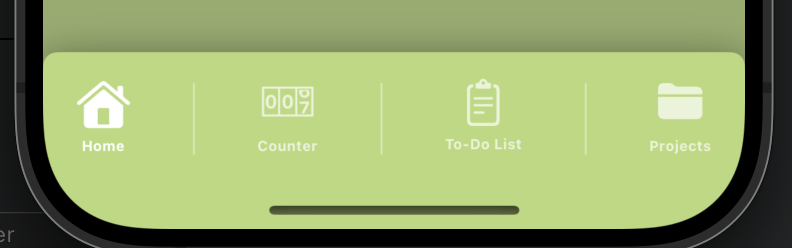
So after setting up the main UI screens & hooking up the navigation to the appropriate views, it was time to setup the data model & finish the UI of the home screen. This started off pretty simple and then got real confusing really quick!
First off I finished the home view UI for when the user has no projects & is new to the app. Everything is where it should be now. Then I started off setting up the project pages to use the data models. I started off really easy with the single projects. The ones that get created, then you go to the counter etc. This connected up really easy & to my shock worked with no issues! I do still need to connect up one last view but I can create the projects & display them as should be back in the home view.
Then the bugs began…
I decided I was on a roll…let’s hook up the multi-projects…not as easy as I thought. I am still very inexperienced with SwiftData and I totally forgot to create the relationship correctly between two models to create a nested array. This didn’t fix everything though. I managed to hook up the list to display the parts (the easy part), then I created the sheet view that pops up when the user wants to add a new part so the title can be added by the user. This view caused a good amount of niggles, but in the end I worked out how to append the title with the new array item at the same time. Also using a try?context.Save() here to force that save just in case. Took me sooooo long to get those damn titles to show in that list and not to save as an empty string! But next up I made sure the list updated with these new parts too…again a good hour on that! This all took me a whole day but still. I got this far. Just when you think you’re a genius…it all came crashing down!
There was one major issue! The list wasn’t sorted at all! You enter a new part & it could go anywhere in the list! This shouldn’t be too hard to sort the array though right? Wrong!! An entire day of trying to work this out. I wanted the list to easily add the item to the bottom of the list as the user entered it. Not alphabetically or such yet. From googling like a mad woman to pleading for help online…mind you that morning I had had an allergic reaction & I was not at all functioning! But just when I was about to give up as I truly didn’t have a clue what I was doing…I tried a couple more tweaks…the code began to behave yay! I managed to fix the backtrace issue in the data model, I managed to work out all the small issues & create a counter within the data model to be set to the count of the array + 1. After declaring the property correctly for the nested array and adding a sort by using the counter query, each new item is now added as the user enters it to the bottom of the list.
Phew that was a lot of code!

I should mention that each part is a navigation link to the counter page…which I also designed this week. I now just need to hook that page up to the data model so that the counters etc are all stored as the user leaves it. Now that me & my project manager are finished for the week I must say I am looking forward to the weekend! Thanks for following along my journey.

